How to create an Ethereum NFT collection.
Create your ERC-721 collection, set its permanent supply cap, then mint NFTs from your wallet.
Before you start
- An Ethereum wallet you control, with ETH for the service fee and gas.
- A collection name, symbol, description and cover image, up to 2 MB.
- Decide the lifetime supply cap, royalty rate and recipient before creating the collection.
1. Choose your collection artwork
Use a logo, cover or image that represents the whole collection. A square 1024 × 1024 image is a good starting point. Upload a PNG, JPG or WebP up to 2 MB. This is the collection cover; each NFT gets its own artwork when you mint it.
2. Choose the permanent settings
Set the collection name, symbol, lifetime maximum supply, royalty rate and royalty recipient. This collection version fixes the supply cap, metadata URIs and royalty settings. Burning an NFT does not reopen supply under the lifetime cap. Marketplace policies determine whether royalties are paid.
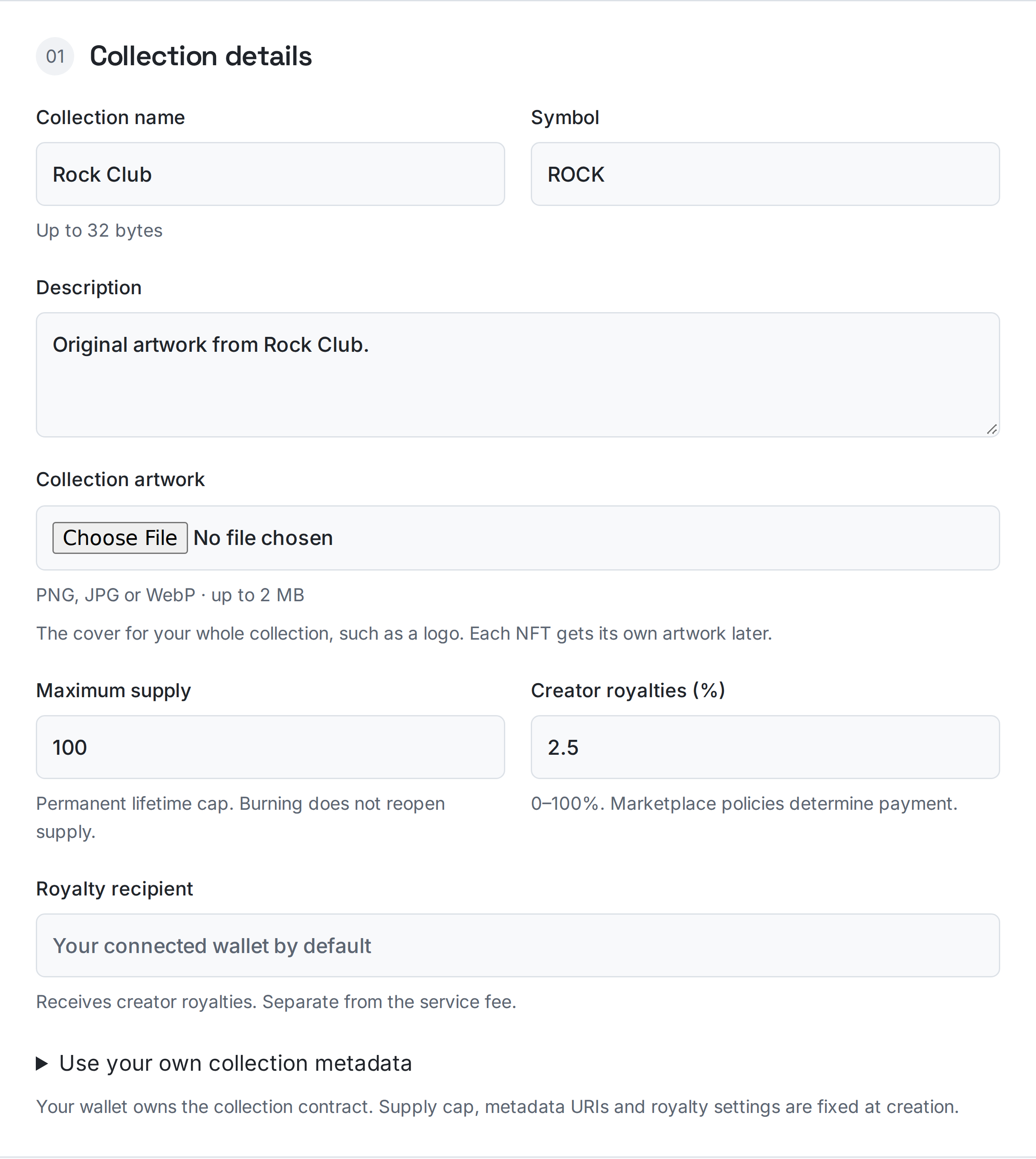
3. Create the empty collection
Connect your Ethereum wallet and select Ethereum mainnet. Review the service fee and estimated gas in ETH, then approve the factory transaction. Your wallet owns the new ERC-721 collection. Creation does not mint any items yet.
4. Mint your first NFT
In Manage your collections on the same page, select your collection. Choose One NFT with artwork, enter the NFT name and recipient, upload that NFT’s artwork and optionally add traits. Review and approve the mint transaction. Later minting has no RockTheCoin service fee; you still pay Ethereum gas.
5. Mint more and save your link
Use Existing metadata URIs for batches of up to 20 NFTs per transaction. Every item needs its own name and JSON metadata URI. The current collection owner must approve minting. Save the collection address and management link so you can return later.
6. Hand over collection ownership
In Collection controls, enter the new owner wallet and review the handover. You stay in control until the nominated wallet opens the management link and accepts. The current owner can replace or cancel a pending handover. The new owner can manage and mint within the existing limits.
7. Permanently stop new minting
The current owner can permanently close minting from Collection controls after an explicit confirmation. This cannot be reopened, even by a future owner. Existing NFTs, transfers and the collection owner stay in place. Save your collection address and management link.
Plan the lifetime cap
A cap of 100 allows at most 100 lifetime mints. If 10 items are later burned, that does not raise the cap or reopen those 10 mints.
Common problems
I cannot mint more NFTs.
Connect the current collection owner and check the lifetime supply cap. Burning an item does not make room for another mint under that cap.
Creation succeeded, but there are no items.
The creation transaction deploys an empty collection. Use Manage your collections to add the first NFT with its artwork, name and recipient.
Ready for the next step?
Open the matching tool and review your settings before approving.