How to create a Solana NFT collection.
Choose collection artwork, create an empty Metaplex Core collection, then mint your NFTs.
Before you start
- A Solana wallet you control, with SOL for the service fee, rent and network costs.
- A collection name, symbol, description and square cover image, up to 2 MB.
- Your royalty rate and recipient. Keep access to the wallet that will manage the collection.
1. Choose your collection artwork
Use a logo, cover or image that represents the whole collection. A square 1024 × 1024 image is a good starting point. Upload a PNG, JPG or WebP up to 2 MB. This is the collection cover; each NFT gets its own artwork when you mint it.
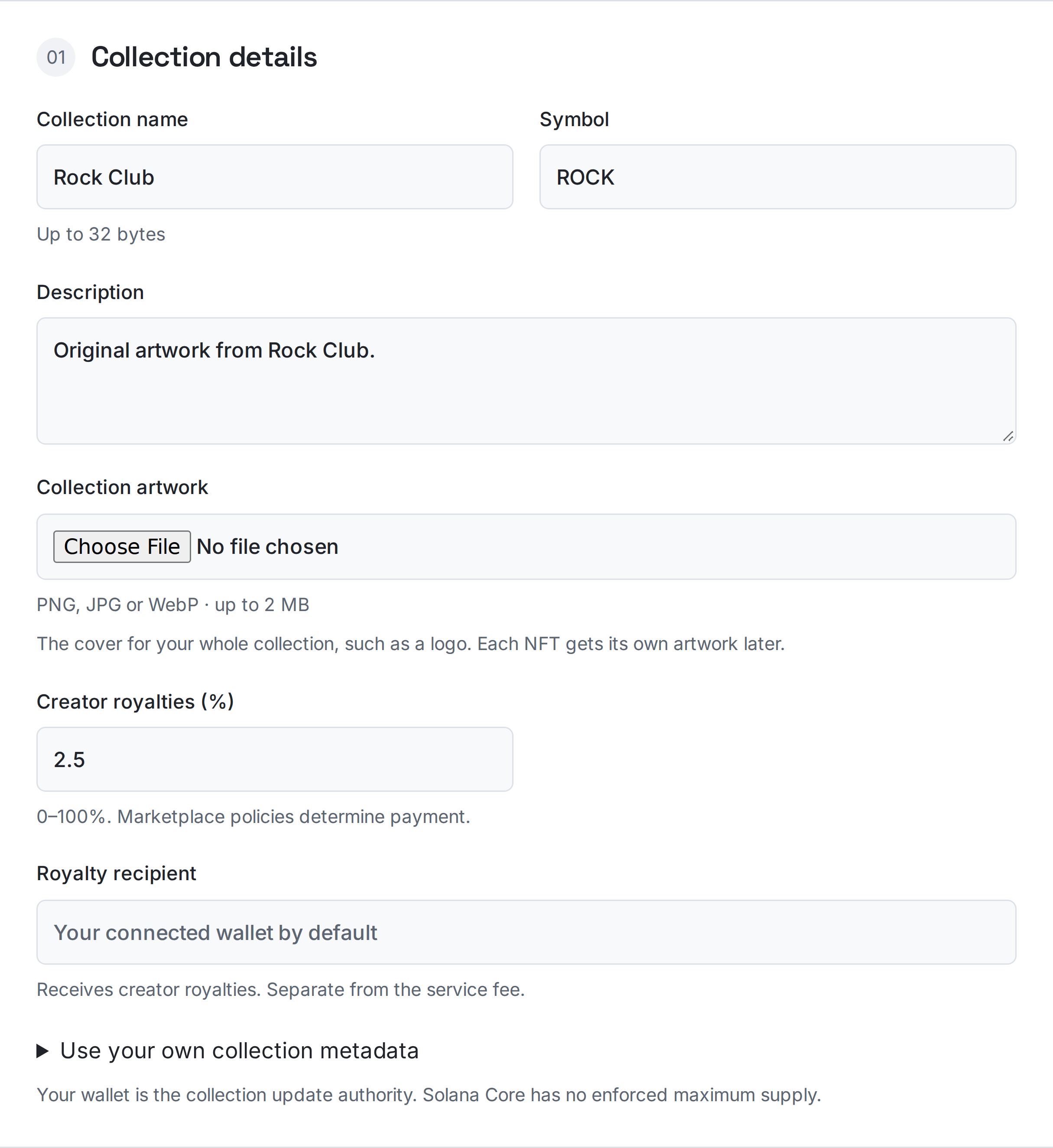
2. Set the details and royalties
Enter the name, symbol and description. Choose the creator royalty rate and recipient; marketplace policies determine whether royalties are paid. Your wallet becomes the collection update authority. Metaplex Core has no enforced maximum supply in this creator.
3. Create the empty collection
Connect your Solana wallet, review the service fee in SOL plus rent and protocol costs, then approve creation. The collection and service payment share one transaction. Wait for verification before continuing.
4. Add your NFTs
In Manage your collections on the same page, select the collection or open its management link. Choose One NFT with artwork, enter its details and recipient, upload that NFT’s image, then review and approve minting. There is no RockTheCoin fee for adding NFTs; network and protocol costs still apply.
5. Keep the management link and metadata
The current collection authority must approve minting. The existing-metadata mode mints one item per Solana transaction. Hosted artwork and metadata stay on RockTheCoin; you can supply your own HTTPS, IPFS or Arweave JSON instead. Keep a copy of your files and collection address.
Collection cover and item artwork
For a collection called Rock Club, use the club logo as its cover. Rock #1 and Rock #2 can each have a different image when you mint them.
Common problems
My collection is empty.
Collection creation prepares the container. Open its management link and mint the individual NFTs afterward, each with its own artwork or metadata URI.
My NFT preview is missing.
Check the confirmed item address in the explorer and make sure its metadata and image are publicly accessible. Wallets can take time to refresh a preview.
Ready for the next step?
Open the matching tool and review your settings before approving.